myClinicalExchange Academic Coordinator Help

|
Welcome to the help site for myClinicalExchange Academic Coordinators! This site provides step-by-step guidance to help you use myClinicalExchange to manage and schedule students for rotations—and understand how the system supports the rotation workflow across your school and its partner hospitals. |
 What is myClinicalExchange?
myClinicalExchange (or simply mCE) is a platform that helps schools and hospitals coordinate student rotations, including managing rotation requests, scheduling placements, and tracking compliance.
As an Academic Coordinator, you use mCE to request rotations, schedule students, review compliance requirements, and ensure students are ready for upcoming rotations.
Getting Started: Traditional, Slot, or Joint Setup
myClinicalExchange supports different workflow setups depending on how your school manages rotation scheduling. When you log in, your homepage displays one of three setups. This setup determines how you interact with the rotation workflow.
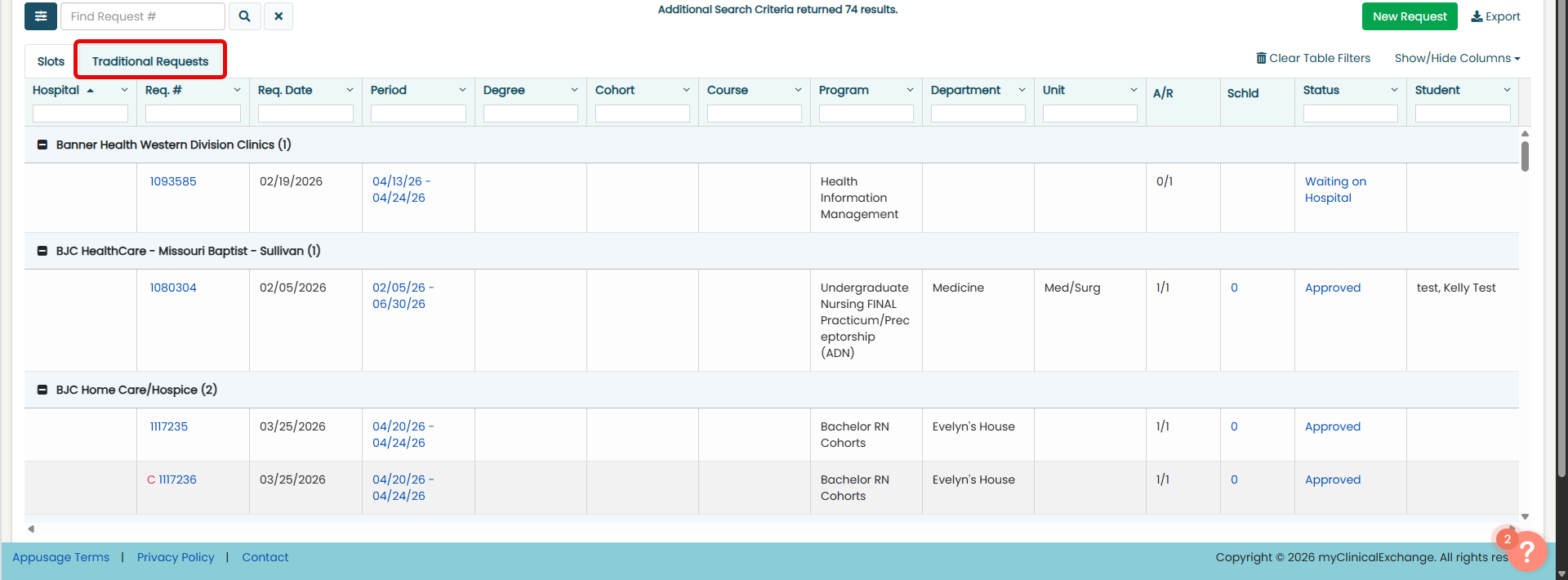
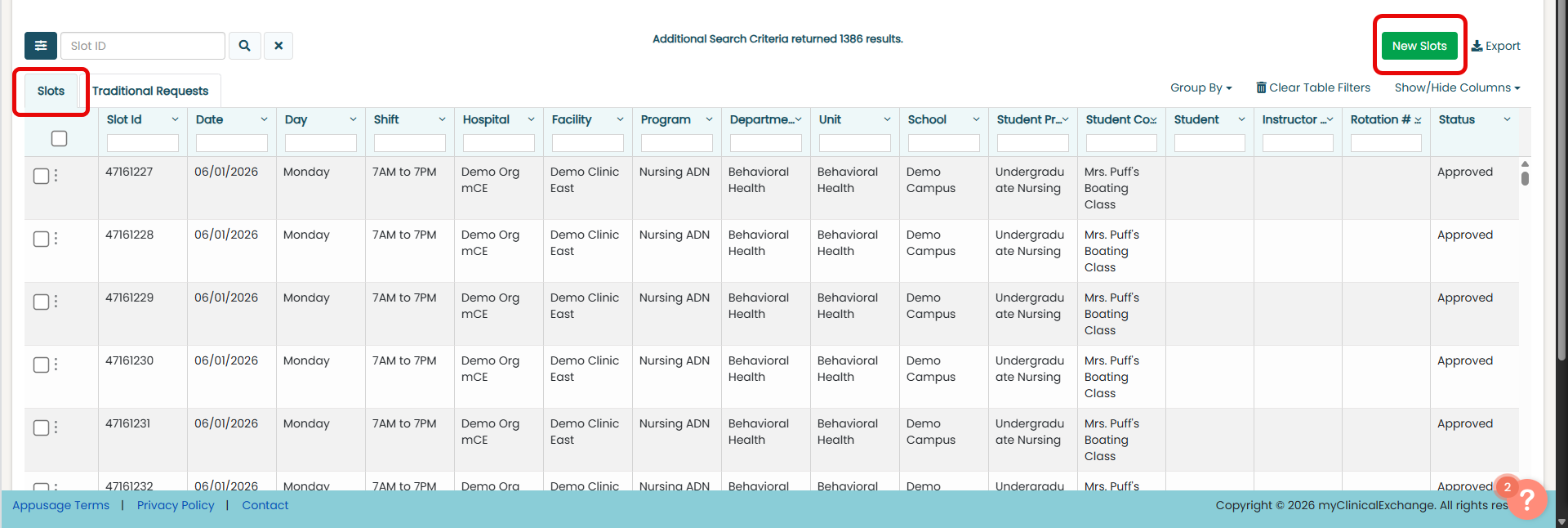
Use the table below to identify your setup and understand how it affects how you manage rotations.
| Setup | What You'll See on Your Homepage | What It Means |
|---|---|---|
| Traditional |
Select image to enlarge
|
Your school uses the Traditional Workflow.
You submit rotation requests to hospitals for approval. |
| Slot |
Select image to enlarge
|
Your school uses the Slot-Based Workflow.
Hospitals publish available slots, and you request them for your students. |
| Joint | Traditional and Slots tabs |
Your school uses both workflows.
You may switch between Traditional and Slot workflows depending on how rotations are managed. |
 How to Use this Help Site
Use this site to find clear, step-by-step instructions for completing tasks in mCE. You can browse topics using the menu on the left or search for specific tasks or features using the search bar at the top.
Each topic includes:
-
What the task or feature is and why it matters
-
When and how to complete the task
-
Where to find it in mCE
Whether you're just getting started or looking for help with a specific task or feature, this site is here to support you.